
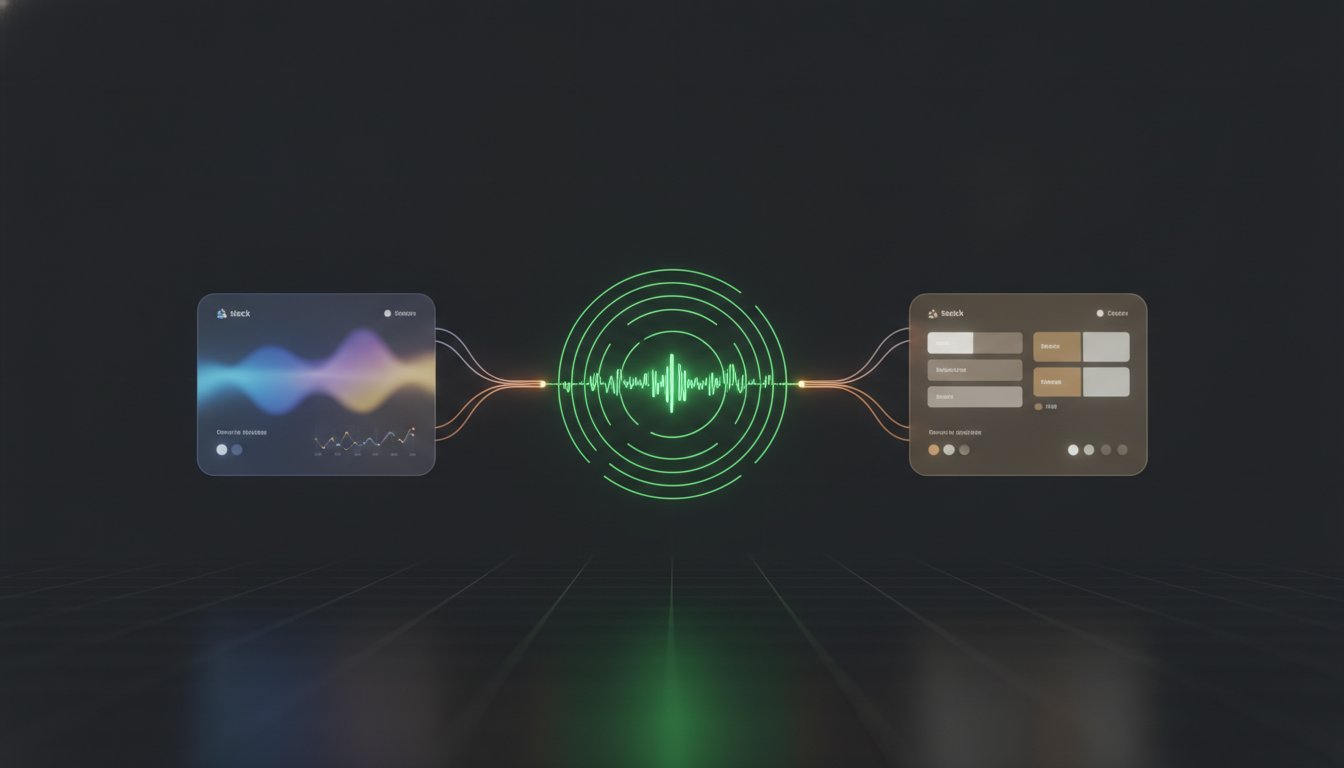
Why are you still asking your users to hunt down a status page URL during an active incident? Most teams treat uptime data as a destination, but it's more effective as a service that meets people where they already are. We agree that manual updates are a drain on resources; nobody wants to copy-paste incident logs across three different platforms while debugging a production issue. This guide explores oEmbed and RSS: Letting Your Uptime Travel Across Slack and Notion and Discord to ensure your transparency layer is built into your team's existing infrastructure.
You'll learn how to break status data out of silos and embed real-time transparency directly into your daily workflow using these established protocols. We'll cover the technical specifics of configuring RSS feeds for automated incident broadcasting and show how oEmbed creates rich link previews in Notion and Slack. By the end, you'll have a set and forget system that reduces support tickets and keeps everyone informed without the manual overhead. This approach moves beyond static pages and turns your status data into ambient information that flows where it's needed most.
Key Takeaways
- Learn why static status pages often fail to prevent support tickets and how to push data into the tools your team uses daily.
- Understand how the oEmbed 1.0 protocol enables live status previews within Notion and Slack without requiring custom API development.
- Configure oEmbed and RSS: Letting Your Uptime Travel Across Slack and Notion and Discord to automate incident alerts through vendor-neutral protocols.
- Compare the performance of SVG versus PNG status badges and implement caching strategies to ensure distributed alerts reflect real-time system states.
- Maintain transparency and data sovereignty by utilizing native integrations with a choice between EU and US hosting.
The Status Silo Problem: Why Users Still Open Support Tickets
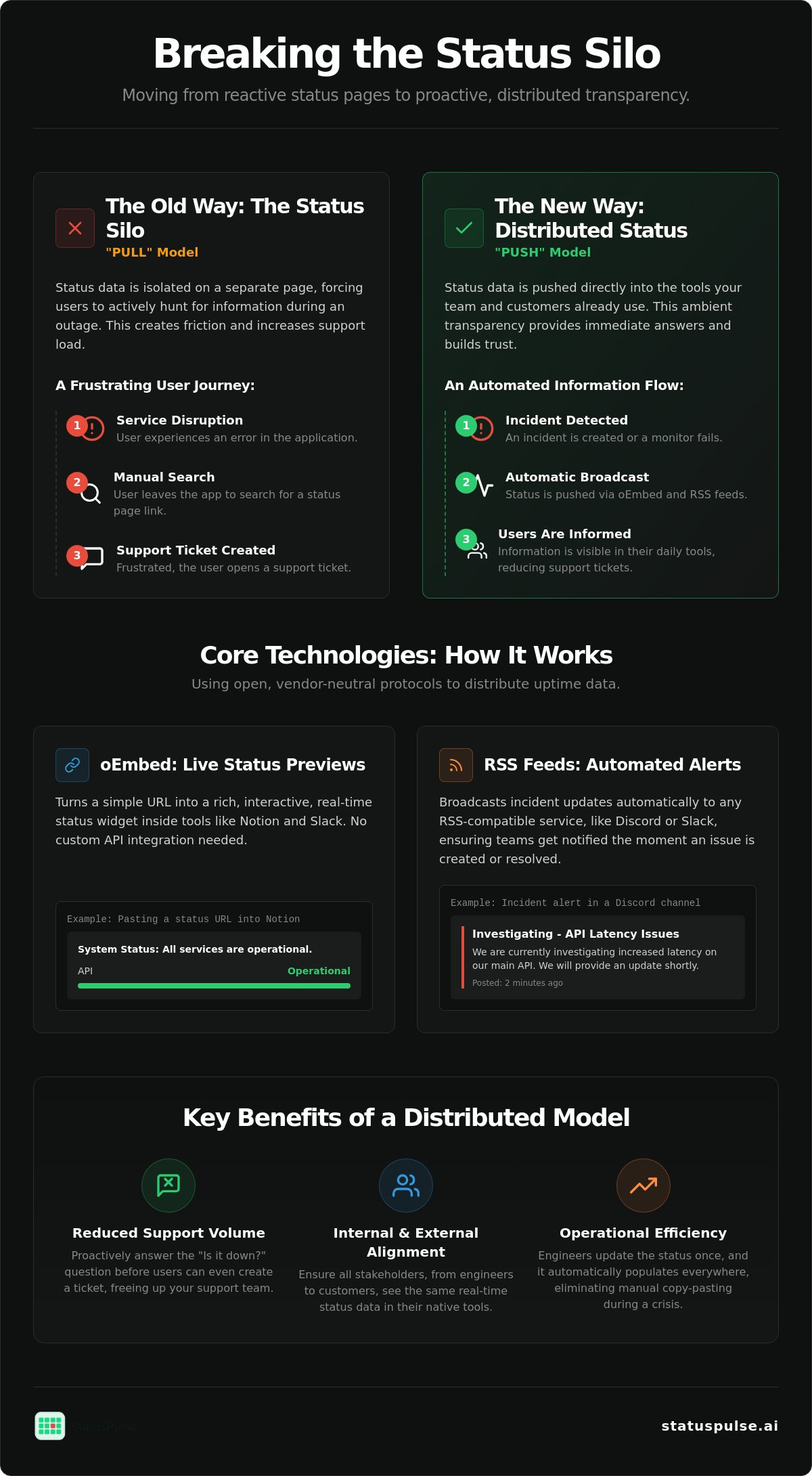
Most status pages exist in a vacuum. They are bookmarks that users only remember when it is too late. By the time a customer navigates to your status sub-domain, they have likely already opened a support ticket. This is the status silo. It is a disconnect between monitoring systems and the places where teams actually work. If your uptime data requires a manual search, it is failing its primary purpose of reducing support overhead.
Implementing oEmbed and RSS: Letting Your Uptime Travel Across Slack and Notion and Discord is the technical solution to this architectural isolation. Support tickets often peak within the first five minutes of a service disruption. This happens because users prioritize immediate feedback over manual discovery. When status information is siloed, you are forcing users to do the work of finding the truth. Ambient transparency fixes this by placing data where users already live.
Effective public status pages should function as ambient infrastructure. This means the data is present without being intrusive. It lives in the Slack channels where developers discuss bugs. It sits inside the Notion databases where project managers track milestones. By breaking the silo, you turn a static website into a live data stream that proactively answers questions before they reach your inbox.
The Friction of Manual Discovery
"Is it down?" remains the most common support query for SaaS companies. The cost of context switching is high. A user experiences an error, leaves your application, searches their email for a status link, and finally checks the page. This journey is filled with friction. For high-demand services like Edge IPTV, every step increases the likelihood of a frustrated support ticket. Distributed data lowers this barrier. When status information is integrated into team tools, the answer is already visible. This immediate feedback loop preserves user trust during technical disruptions.
Moving from Pull to Push Communication
Traditional transparency relies on a "pull" model. The user must actively seek out the data. Modern DevOps requires a "push" model where data arrives in the user's existing workflow. This shift leads to "headless" status pages. In this model, the status page is a data source rather than just a website. Transparency should function like an API. It needs to be portable and accessible via the oEmbed protocol or standard syndication. This approach offers several benefits:
- Reduced Support Volume: Users see the incident report before they can type a message.
- Team Alignment: Internal stakeholders see the same data as external customers in real time.
- Operational Efficiency: Engineers spend less time manually updating multiple platforms.
We believe transparency is a technical requirement, not a marketing feature. Moving from a website centric model to a data centric model ensures your uptime data is actually useful during a crisis.
Decoding the oEmbed Protocol for Live Status Previews
The oEmbed 1.0 specification has remained the industry standard since 2008 for one reason: it works. It is an open format designed to allow a website to display embedded content from a third party using only a URL. Instead of requiring developers to write custom scraping logic or complex API integrations, oEmbed provides a structured way for a "consumer" to ask a "provider" for a representation of a resource.
When you paste a status link into a modern workspace, the consumer (like Slack or Notion) sends an HTTP request to the provider's oEmbed endpoint. The provider then returns a JSON or XML object containing the necessary metadata. This exchange is the foundation of oEmbed and RSS: Letting Your Uptime Travel Across Slack and Notion and Discord, turning a plain text link into a live, branded widget that reflects your system's health in real time.
The oEmbed Discovery Mechanism
For a platform to know that a status page supports embedding, you must implement auto-discovery. This involves adding <link rel="alternate"> tags to the HTML header of your status page. These tags point the consumer toward the JSON or XML endpoint. Without these, the consumer might default to basic Open Graph scraping, which lacks the rich interactivity that a dedicated oEmbed response provides.
A typical JSON response for a "System Operational" state looks like this:
{
  "version": "1.0",
  "type": "rich",
  "provider_name": "StatusPulse",
  "title": "Current System Status",
  "html": "<div class='status-widget'>Operational</div>",
  "width": 600,
  "height": 400
}
Dynamic data handling is critical here. To ensure previews refresh when a status changes, the provider must manage cache headers effectively. While oEmbed handles the visual representation, many teams also utilize RSS (Really Simple Syndication) to handle the raw data flow for more complex alerting logic.
OEmbed in Notion and Slack
Notion handles embeds through a service called Iframely, which supports over 1,900 domains. When you use the "Embed" block, Notion queries the oEmbed endpoint to render a live status card. This allows project managers to see system health directly alongside their roadmap without leaving their documentation. It's a low-friction way to maintain transparency across distributed teams.
Slack takes a similar approach through "link unfurling." It prioritizes oEmbed metadata over other standards like Twitter Cards or Open Graph. When a status URL is shared in a channel, Slack fetches the rich HTML or thumbnail provided by the endpoint. For security, these platforms often require domain verification or whitelisting to prevent SSRF (Server-Side Request Forgery) attacks. You can explore how StatusPulse manages these native integrations to provide secure, real-time previews across your tech stack.
This protocol ensures that your uptime data is not just accurate, but accessible. By leveraging a standard that has been stable for nearly two decades, you build a transparency layer that is both reliable and easy to maintain.
RSS Feeds: Automating Incident Communication Across Discord and Slack
Implementing oEmbed and RSS: Letting Your Uptime Travel Across Slack and Notion and Discord allows you to treat your status page as a portable data source. Slack offers an official RSS app that subscribes channels to real-time updates via simple slash commands. For Discord, the process requires a webhook bridge, but the result is a robust alert system that doesn't rely on per-subscriber fees. This ensures your transparency remains affordable even as your audience grows.
Setting Up the RSS-to-Discord Bridge
Discord does not have a native RSS reader, so you must use a webhook bridge to facilitate the data flow. First, locate your RSS feed URL in your status page settings. Next, create a Webhook in Discord by navigating to Channel Settings, then Integrations, and copying the Webhook URL. Finally, use a bridge tool or a simple script to poll the feed and POST updates to Discord. This setup ensures that your team receives alerts in the same place they discuss code, removing the need for manual status checks.
Reducing Notification Fatigue
Alert fatigue is a significant risk for SRE and DevOps teams. If every minor flicker triggers a notification, engineers eventually stop paying attention. Filtering your RSS feed is essential to maintain the signal-to-noise ratio. You should only route "Critical" or "Resolved" events to high-traffic developer channels. Minor maintenance windows or low-priority updates should be directed to a dedicated "logs" channel or a non-intrusive feed.
Formatting also impacts how information is consumed in a chat interface. A raw XML dump is difficult to read and slows down incident response. The bridge should parse feed items into clear, readable Markdown that provides immediate context. You can also use these feeds to populate internal developer portals or project wikis. By adhering to the official oEmbed specification and RSS standards, you ensure your transparency layer is both visually rich and technically robust. StatusPulse offers these feeds natively with a choice of EU or US hosting to support your data sovereignty requirements.
Technical Implementation: Performance, SVG, and Security Trade-offs
Choosing the right asset format for your status badges isn't just about aesthetics. It's a performance decision. SVGs (Scalable Vector Graphics) are the standard for modern uptime monitoring because they are resolution-independent and significantly smaller than rasterized PNGs. When managing oEmbed and RSS: Letting Your Uptime Travel Across Slack and Notion and Discord, the delivery format of your status metadata directly impacts how quickly users receive information during a crisis.
Performance optimization also requires a careful approach to data sovereignty. Many European teams require their monitoring data to stay within specific jurisdictions. We provide a choice between EU and US hosting to ensure your status metadata complies with regional privacy standards. This transparency extends to your oEmbed endpoints. You can choose to keep these public for wide distribution or private for internal-only documentation.
The SVG Advantage for Status Badges
SVGs are superior for status indicators because they are rendered as code by the browser. This ensures they remain crisp on high-DPI Retina displays and load almost instantly. A typical SVG badge is often less than 2KB, whereas a high-resolution PNG can be ten times that size. You can implement these badges directly in your GitHub readmes or internal docs using a simple image tag:
<img src="https://statuspulse.ai/badge/your-page-id.svg" alt="System Status">Dynamic SVG generation allows you to serve live data through a single, static-looking URL. The server injects the current status color and text into the SVG template before delivery. This ensures that every time the image is requested, it reflects the true state of your system.
Performance and Caching
Caching is the biggest challenge in distributed transparency. If your status badge is cached for an hour, it's useless during an outage. You must set a low Time to Live (TTL) for your status feeds, typically between 60 and 120 seconds. This provides a balance between real-time accuracy and server load. For a deeper look at communication strategies, see our Uptime Monitoring: A Developer’s Guide to Reliability.
Link previews in Slack and Discord present a unique risk called cache poisoning. These platforms often cache the first "unfurl" of a URL for an extended period. To combat this, your oEmbed endpoint should utilize strict Cache-Control headers. Using no-cache, no-store, must-revalidate ensures that the consumer platform fetches a fresh preview every time the link is shared during an active incident. You can configure your own SVG status badges and caching rules in minutes using our straightforward dashboard.
Building a Distributed Transparency Layer with StatusPulse
StatusPulse builds on the stable protocols discussed in previous sections. We treat oEmbed and RSS: Letting Your Uptime Travel Across Slack and Notion and Discord as core architectural components rather than legacy afterthoughts. Most platforms bury these features in deep settings menus. We expose them natively to ensure your uptime data is portable from the moment you create your first page. You don't need third party middleware or complex automation scripts to connect your status page to your workspace.
Native integration with Slack, Notion, and Discord is built into our core infrastructure. This reduces the points of failure in your communication stack. During an active incident, speed is critical. We utilize AI incident management to draft impact summaries for your feeds automatically. This reduces the cognitive load on your SREs when they are focused on remediation. However, we maintain a strict human in the loop policy. The AI drafts the update, but a human must take the final action to hit the broadcast button.
Our pricing model is designed to support, not penalize, transparency. Many industry incumbents charge per subscriber or per view on your distributed feeds. This creates unpredictable costs as your audience grows. We opt for flat, transparent pricing without per subscriber fees. This ensures that your distributed transparency layer remains a predictable part of your operational budget.
EU-Based Reliability for Global Teams
Data sovereignty is a core requirement for modern DevOps and SRE teams. We provide a choice between EU or US hosting for your status data to help you meet strict regulatory standards. Our infrastructure is designed for 99.9% availability. Your transparency layer must remain accessible even if your primary application is experiencing a total outage. For a deeper look at our design philosophy, read about The Architecture of Incident Communication Transparency.
Getting Started in Minutes
Connecting your first monitor to a portable status widget is straightforward. Once your monitors are configured, your oEmbed and RSS endpoints are generated automatically. You can customize your oEmbed cards to match your brand identity, ensuring a professional appearance when links are shared in Slack or embedded in Notion. This setup turns your status page into a service that actively informs your users. By leveraging these open standards, you build a resilient communication layer that respects your users' time and meets them where they already work. You can start building your distributed status page today and see how ambient transparency reduces your support volume.
Deploying Ambient Transparency
Uptime data is only as valuable as its accessibility. Moving away from static status pages and toward a distributed model ensures your users receive critical information exactly where they work. By leveraging oEmbed and RSS: Letting Your Uptime Travel Across Slack and Notion and Discord, you remove the friction of manual discovery and replace it with a proactive transparency layer. This technical shift doesn't just reduce support tickets; it builds long-term trust through consistent, real-time communication.
Effective incident management requires tools that prioritize precision over complexity. We believe in providing a straightforward platform that supports your data sovereignty with EU or US hosting options. You get transparent pricing without per-subscriber fees and AI incident management to assist with drafting updates. It's about giving your team the right assistants so you can focus on technical remediation rather than manual status updates. Start Building Transparent Workflows with StatusPulse to bridge the gap between your monitoring data and your team's daily tools. Building a reliable transparency layer is a choice that pays dividends during your next production incident.
Frequently Asked Questions
What is the difference between oEmbed and a standard iframe for status pages?
oEmbed is a structured data exchange protocol, while an iframe is a direct embed of an external HTML document. Platforms like Slack prefer oEmbed because it allows them to render a native-looking preview based on JSON data provided by the status page. Iframes are often blocked by security policies in modern workspaces. oEmbed provides a more resilient way to share status information without the performance overhead of rendering a full external webpage.
Can I use StatusPulse RSS feeds to update my Discord channel automatically?
You can automate Discord updates by using a webhook bridge to poll your RSS feed. Discord doesn't support RSS natively, so a simple script or middleware is needed to POST new feed items to your channel webhook. This setup is a key part of oEmbed and RSS: Letting Your Uptime Travel Across Slack and Notion and Discord, ensuring that your incident reports reach your developers immediately without manual copy-pasting.
How often do Notion and Slack refresh oEmbed link previews for status updates?
Refresh frequency is determined by the consumer's caching logic and your server's TTL headers. Slack often caches link previews for several hours, which can be problematic during an active incident. You can sometimes bypass this by appending a unique query string to the URL. Notion typically refreshes the embed when the block is first loaded or when the page is manually refreshed in the browser, provided your headers allow it.
Are status badges secure for use on internal company wikis?
Status badges are secure because they serve a simple graphic rather than a script or an interactive element. They don't require access to your internal network or sensitive data. If you're concerned about privacy, you can use a public status badge that only shows general states like "Operational" or "Incident" without revealing specific component names or internal metrics that you prefer to keep private.
Does using SVG status badges affect my website’s SEO or load speed?
SVG badges improve load speed compared to PNGs because they are much smaller, often under 2KB. They don't negatively affect SEO. In fact, fast-loading assets contribute to a better user experience, which is a core technical requirement for any uptime monitoring strategy. Using SVGs ensures your status indicators look crisp on all screen types without adding meaningful bloat to your documentation or landing pages.
What happens to my oEmbed previews if my status page goes down?
If the status page is offline, the oEmbed preview will fail to render or show a basic fallback link. This highlights the importance of using a provider with redundant infrastructure. Your transparency layer must be more reliable than the system it monitors. Maintaining your oEmbed and RSS: Letting Your Uptime Travel Across Slack and Notion and Discord workflows requires a provider that keeps your data sovereignty and uptime as a top priority.


