
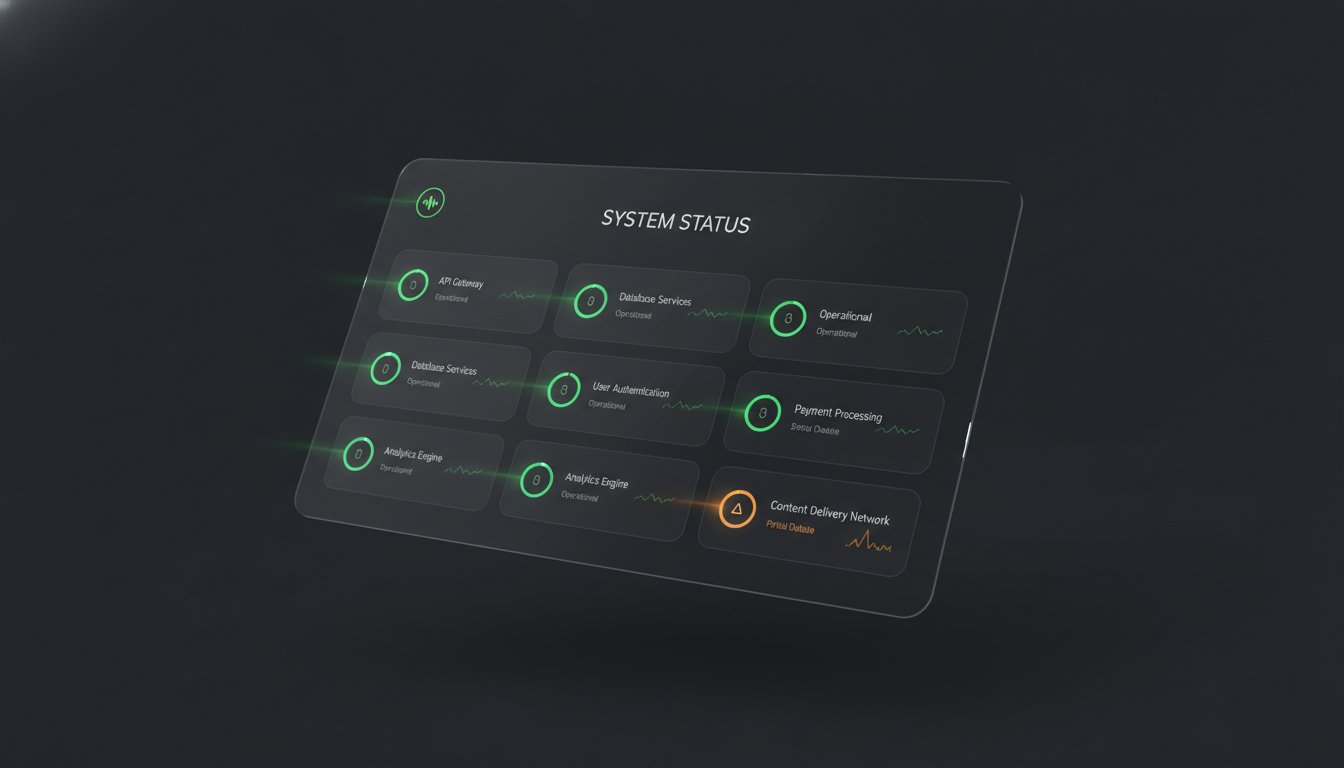
If your primary site goes down, why does your status page look like a phishing attempt? Sending customers to a generic URL with mismatched styling isn't just a branding failure. It's a security risk that erodes trust when you need it most. Most legacy tools treat custom domains as a luxury, forcing you into expensive tiers just to keep your own identity on your infrastructure.
You know that maintaining a cohesive identity across your stack is critical for technical credibility. This guide explains how to implement Custom Domains and Full Branding with Logo Colors and Fonts on Every Status Page without the typical DNS headaches or subscriber taxes imposed by industry incumbents. We'll cover the technical steps for CNAME configuration, automated SSL provisioning, and CSS customization to ensure your incident communication remains professional and recognizable. You'll learn how to align your uptime reporting with your brand's specific aesthetic while keeping your pricing predictable and your data hosted where you choose.
Key Takeaways
- Branded status pages function as a security layer by validating incident updates and reducing support ticket volume through recognizable identity.
- Implementing Custom Domains and Full Branding with Logo Colors and Fonts on Every Status Page ensures your infrastructure status lives on your own subdomain with automated SSL.
- True branding requires matching precise hex codes and font families in your CSS to maintain a consistent user experience during technical disruptions.
- A rigorous configuration checklist helps you verify asset hosting on CDNs and test the navigation flow from a broken site to an active status update.
- Transparent pricing models allow for full customization and high subscriber counts without the escalating costs or "subscriber taxes" of legacy platforms.
The Technical Case for Branded Status Pages
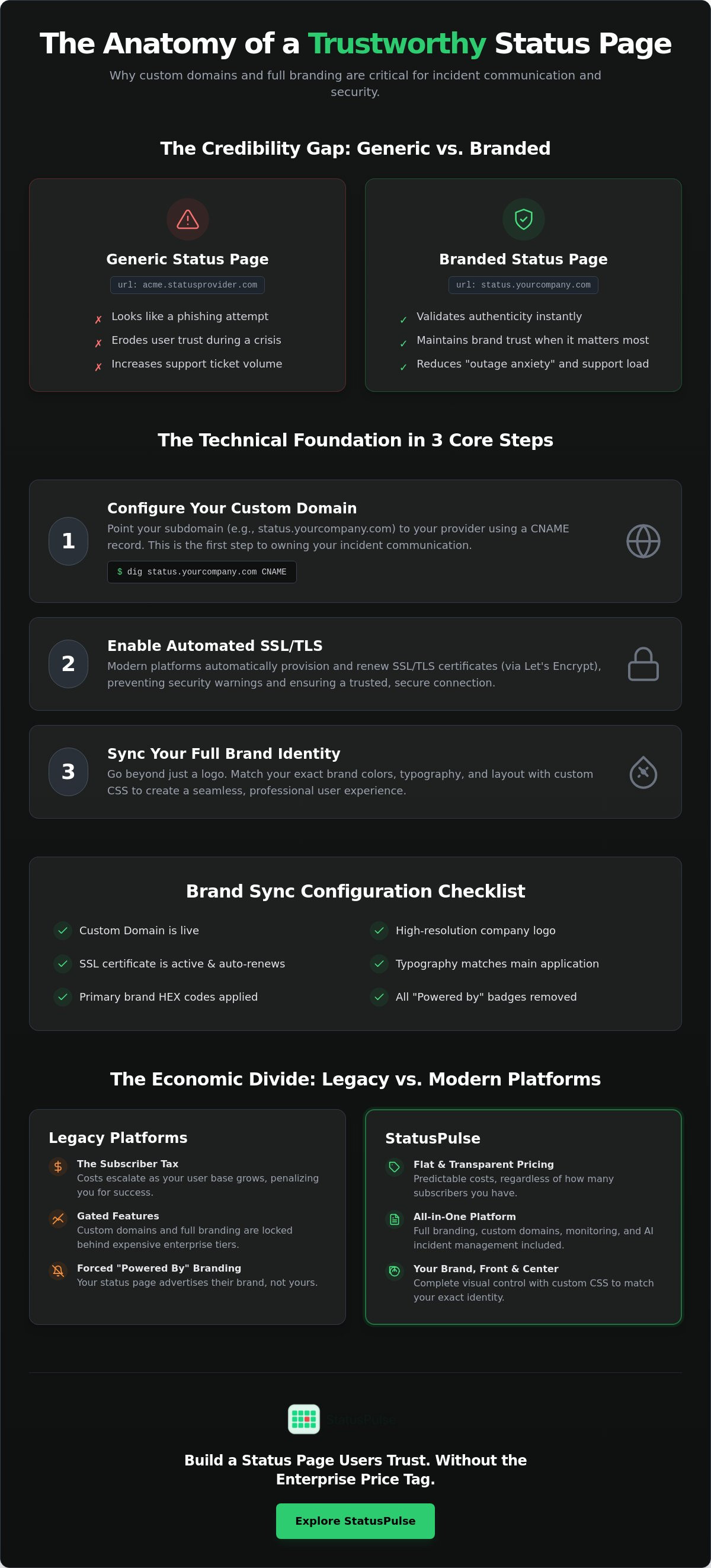
A status page is often the only point of contact between your team and your users during a total system failure. If that page looks like a generic template, you aren't just losing brand equity. You're creating a security vulnerability. Users are trained to identify phishing by looking for inconsistencies in domains, logos, and layouts. Moving them from your secure application to a third-party subdomain with default styling triggers immediate distrust.
Incident communication is a technical requirement, not just a marketing one. When your primary infrastructure is unreachable, your status page becomes the single source of truth for your uptime data and recovery timelines. If this source of truth doesn't look and feel like your product, users will hesitate to follow your instructions or trust your updates. Consistency across your stack validates the authenticity of the information you provide.
Reducing Phishing Risks During Outages
Threat actors frequently weaponize downtime. They deploy fake status pages designed to harvest user credentials while your legitimate services are offline. These attackers rely on the fact that many companies use unbranded, third-party URLs for their incident reporting. By using a CNAME record to host your status page on your own subdomain, you provide a verifiable path of trust.
Implementing Custom Domains and Full Branding with Logo Colors and Fonts on Every Status Page acts as a visual handshake. If the typography and hex codes match your main application, users feel confident that the page is managed by your engineering team. This "soft" verification is critical for non-technical users who may not check the URL bar but will notice a mismatched font or an incorrect logo immediately.
The ROI of Visual Consistency
Inconsistent branding leads to "outage anxiety." When a user encounters a generic error page or a status site that looks like a basic bootstrap template, their first instinct is to flood your support desk with tickets. They want to know if the outage is real or if they've been compromised. Branded communication reduces this ticket volume by providing immediate, recognizable reassurance. To further streamline these interactions, especially when your team is focused on recovery, Memphis Web Solutions offers AI-driven automation tools to manage customer inquiries 24/7.
Maintaining a cohesive look and feel keeps users within your brand ecosystem even during a failure. At StatusPulse, we've seen that transparent, branded communication prevents the reputational damage that occurs when users feel "lost" in a third-party tool. Instead of staring at a "powered by" badge from a legacy provider, your users see your brand's specific aesthetic. This professional continuity preserves trust when your services are at their most vulnerable.
Implementing Custom Domains: CNAME and SSL Management
A custom domain is the most critical technical component of your status page. Without it, you're asking users to trust a third-party URL during a crisis. The setup relies on a CNAME record that aliases your chosen subdomain to the status provider's infrastructure. While legacy providers often gate this behind expensive tiers, modern architecture treats these as baseline requirements. Achieving Custom Domains and Full Branding with Logo Colors and Fonts on Every Status Page starts with this DNS handshake.
Configuring Your DNS Records
The implementation follows a logical path that any SRE or DevOps engineer will recognize. First, choose a subdomain that matches your user's expectations. Common choices include status.yourcompany.com or uptime.yourcompany.com. Second, access your DNS management tool, such as Route53 or Cloudflare, and create the record. Point your subdomain to the host provided by your status page service. Finally, verify the propagation using dig or a similar CLI tool.
# Example check for CNAME propagation
dig status.yourcompany.com CNAME
Avoid providers that make this process opaque or manual. You need a system that recognizes the record immediately and begins the provisioning process without human intervention from the provider's side.
Automated SSL/TLS Provisioning
Modern status platforms must handle SSL termination automatically. In 2026, Let's Encrypt is the industry standard for automated certificate authorities. The "handshake" between your DNS record and the status page host should trigger certificate issuance within minutes. This prevents "Insecure Connection" warnings that would otherwise lead users to believe your status page is a phishing attempt.
Automatic renewal is equally vital. Manual certificate uploads are a relic of the past and a significant operational risk. If you forget to renew a manual certificate, you face a "double outage" where both your primary site and your status page are unreachable or untrusted. If you are tired of paying enterprise premiums for basic security features, check how StatusPulse handles custom domains with automated SSL as a standard feature on all plans. We believe security isn't an "add-on" you should have to negotiate for.
Typography and Color Sync: Beyond Basic Logo Uploads
Most status page tools offer a basic color picker and a logo upload field. For a technical team, this is rarely sufficient. True branding requires matching the exact hex codes and font families defined in your product's design system. If your application uses specific weights of Inter or Roboto, your status page shouldn't default to a generic sans-serif stack. Design debt on a status page makes the site feel like an unmaintained afterthought rather than a professional communication channel.
Aesthetics are only half the battle. Accessibility is a technical requirement. When applying brand colors to status indicators or headers, you must ensure contrast ratios meet WCAG 2.1 standards. High-stress incidents are the worst time for a user to struggle with readability. Providing Custom Domains and Full Branding with Logo Colors and Fonts on Every Status Page is about maintaining technical continuity and ensuring your uptime data remains legible for every visitor, regardless of their visual needs.
Managing Brand Assets: Logos and Favicons
Static PNG logos often look blurry on high-DPI mobile screens or 5K monitors. You should prioritize SVG assets to ensure crispness at any scale. Additionally, consider the "Dark Mode" experience. If your logo is a dark-colored mark, it will vanish if a user has their system set to a dark theme. Modern status pages should allow for separate logo versions or use CSS filters to maintain visibility. Don't overlook the favicon; it is the primary visual anchor in a browser tab. When a user has ten tabs open during an outage, a recognizable favicon helps them return to your status updates instantly.
Typography and Custom CSS Injection
Legacy providers often limit you to a handful of web-safe fonts, treating modern typography as a premium enterprise feature. To keep your status page in sync with your main application, you need the ability to import Google Fonts or Adobe Fonts via @import or link tags. Using CSS variables is the most efficient way to manage these styles. It allows you to define your palette once and apply it across headers, buttons, and status components.
If the standard UI toggles don't quite match your brand's specific aesthetic, custom CSS injection provides the granular control you need. You can override default padding, adjust border radii to match your buttons, or hide specific elements that don't fit your layout. At StatusPulse, we provide full CSS control as a standard feature because we believe your incident communication should be an extension of your product, not a branded billboard for your provider.
/* Example: Overriding header styles with brand variables */
:root {
  --brand-primary: #0a58ca;
  --brand-font: 'Inter', sans-serif;
}

.sp-header {
  background-color: var(--brand-primary);
  font-family: var(--brand-font);
  border-bottom: 2px solid rgba(0,0,0,0.1);
}
Configuration Checklist: Launching Your Branded Status Page
Launching a status page without a rigorous checklist is an unnecessary risk. Your pre-flight check must verify that every asset, from your logo to your custom CSS files, is hosted on a reliable CDN. If you host these brand assets on your primary infrastructure, they will fail to load when that infrastructure goes down. This results in a broken, unstyled page that looks like a technical error rather than a source of truth.
Testing the user journey is just as vital. Simulate an outage and follow the path from a "Site Down" link to your incident report. Ensure the transition is clear and the branding remains consistent. Achieving Custom Domains and Full Branding with Logo Colors and Fonts on Every Status Page requires this level of attention to detail. It prevents the "outage anxiety" that occurs when a user feels they've left your secure ecosystem.
The Incident Communication Audit
Verify that your custom domain resolves globally. Use multi-region latency tools to ensure users in Europe and the US see the same uptime data without delay. Check your metadata and logo alt-texts. Screen readers must identify your brand even if the visual layer is compromised. Ensure your "Back to Main Site" link is clearly visible. It should use your primary brand colors to maintain the visual continuity we established in previous steps.
Mobile responsiveness is not optional. Most users will check your status from a mobile device during an outage. Test for readability and ensure your typography doesn't break on smaller viewports. A branded header that takes up 50% of a mobile screen is a failure in utility. Keep it concise, professional, and accessible.
Notification Branding
Incident updates aren't limited to the status page itself. Your email and Slack alerts must carry the same identity. Customize the "From" name and email address to match your domain. This prevents your alerts from being flagged as spam or ignored during a critical incident. Branded HTML templates for email ensure that your communication looks intentional and professional.
To ensure your automated alerts are as reliable as your branding, follow our Uptime Monitoring: A Developer’s Guide. It provides the technical foundation needed to align your monitoring with your public page. Implementing Custom Domains and Full Branding with Logo Colors and Fonts on Every Status Page is the final step in building a resilient communication stack. If you are looking for a platform that simplifies this configuration without the enterprise bloat, configure your branded status page with StatusPulse for a more transparent approach to incident management.
StatusPulse: Enterprise Branding Without the Subscriber Tax
Choosing a platform often involves a trade-off between technical depth and cost efficiency. Many legacy providers treat brand identity as an enterprise luxury. They gate CSS customization and domain mapping behind high-cost tiers, forcing teams to choose between professional appearance and budget constraints. We take a different approach. StatusPulse provides Custom Domains and Full Branding with Logo Colors and Fonts on Every Status Page as a standard expectation, not a negotiation point.
Transparent Pricing vs. Legacy Bloat
Legacy status page providers frequently utilize complex pricing models that penalize growth. Tiered plans often require paying significant monthly premiums just to access basic customization features or to remove third-party logos. These costs scale further with "subscriber taxes," where your monthly bill spikes based on how many people want to stay informed. This model creates a conflict of interest during major outages when communication is most critical.
We treat branding as a core feature of incident communication transparency. There are no "Powered by" badges to clutter your UI. Your status page remains an unpolluted extension of your brand. By removing per-subscriber fees, we ensure that your ability to communicate remains decoupled from your infrastructure's failure rate. The focus stays on technical precision, not managing seat counts or notification limits.
Data Sovereignty and Compliance
Technical teams in Europe and the US face distinct regulatory requirements. Privacy is a core technical requirement, not a marketing checkbox. StatusPulse is built in the EU, providing a principled alternative to global corporations that often overlook local data sovereignty standards. We offer a choice between EU or US hosting regions, allowing you to pin your data where it meets your specific compliance needs.
Implementing Custom Domains and Full Branding with Logo Colors and Fonts on Every Status Page ensures that your compliance and branding goals are met simultaneously. Our AI-powered incident management assistant helps you draft updates that match your established brand voice. It analyzes your previous incidents to suggest language that is calm, factual, and direct. This ensures that even in high-stress scenarios, your communication remains consistent with the professional identity you've built. To move beyond generic templates and hidden fees, Build your custom-branded status page with StatusPulse. We provide the tools you need to maintain trust through precision and transparency.
Building a Trustworthy Incident Stack
Incident communication is a technical requirement, not a design afterthought. Maintaining a consistent identity through Custom Domains and Full Branding with Logo Colors and Fonts on Every Status Page prevents user confusion and mitigates phishing risks during downtime. By implementing automated SSL and precise CSS overrides, you ensure your status page remains a verifiable source of truth for your users. A professional status page is your primary tool for preserving trust when your main application is unreachable.
Legacy tools often gate these essential features behind enterprise tiers or penalize your growth with per-subscriber taxes. You deserve a platform that prioritizes technical integrity and data sovereignty. StatusPulse offers EU-based hosting and AI-assisted incident drafting to keep your communication direct and professional without the corporate bloat. Your status page should be as reliable and recognizable as the software it monitors. We don't believe in charging you extra for basic security and branding features.
Start building your fully branded status page for free. We focus on the precision of your uptime reporting so you can focus on the recovery.
Frequently Asked Questions
Can I use my own SSL certificate for a custom status page domain?
You can upload manual certificates on some platforms, but automated provisioning via Let's Encrypt is the modern standard. Manual certificates require tracking expiration dates, which adds unnecessary operational risk. Automated SSL handles the handshake and renewal without human intervention. This ensures your status page remains reachable and trusted even if your primary site is experiencing a total failure.
Does branding a status page affect its loading speed during an outage?
Branding has a negligible impact on performance if you follow technical best practices. Use SVG logos and host custom CSS on a global CDN to keep latency low across different regions. Avoid high-resolution raster images or heavy JavaScript libraries that could delay the First Contentful Paint. During high-traffic incidents, a lightweight, branded page is more reliable than a generic one with unoptimized assets.
What is the difference between a custom domain and a vanity URL?
A custom domain lives on your own subdomain, such as status.yourcompany.com, using a CNAME record. A vanity URL is typically just a path on the provider's domain, like statusprovider.com/yourcompany. Custom domains provide better security by ensuring users stay within your trusted DNS environment. They also prevent your incident communication from being flagged as a phishing attempt by security-conscious users.
Are custom fonts supported on all status page providers?
Support for specific typography varies significantly between service providers. Legacy incumbents often limit you to a few web-safe fonts unless you pay for an expensive enterprise tier. Modern platforms allow for Custom Domains and Full Branding with Logo Colors and Fonts on Every Status Page through CSS injection or direct imports from Google and Adobe. This allows you to match your product's typography exactly.
How do I ensure my branded status page is accessible (WCAG)?
You ensure accessibility by verifying that your brand colors meet WCAG 2.1 contrast requirements. Use technical tools to check that text is legible against your header and button backgrounds. Additionally, ensure all brand assets like logos have descriptive alt text for screen readers. Accessibility is a technical requirement for public-facing infrastructure, especially when serving users across the EU and North America.
Can I remove the "Powered by" branding from my status page?
Most legacy providers gate the removal of "Powered by" badges behind expensive monthly tiers. We believe your status page should belong entirely to your brand without acting as a billboard for your service provider. Ethical platforms include white-labeling as a standard feature in their base plans. This maintains professional continuity and keeps the focus entirely on your incident updates and recovery progress.
Do I need to pay extra for a custom domain on StatusPulse?
No, StatusPulse includes custom domain support and automated SSL as a standard feature on all plans. We don't believe in charging enterprise premiums for basic security and branding requirements. You can configure your subdomain and branding assets without worrying about hidden add-on costs. Our flat-pricing model ensures you don't face "subscriber taxes" that scale as your user base grows.
How do I sync my status page colors with my web app automatically?
You can sync colors by using CSS variables that reference your main application's design system hex codes. While some teams use API integrations to push style updates during CI/CD, most find that a one-time CSS configuration is sufficient. This ensures your Custom Domains and Full Branding with Logo Colors and Fonts on Every Status Page stay consistent even if you update your primary site's aesthetic.


