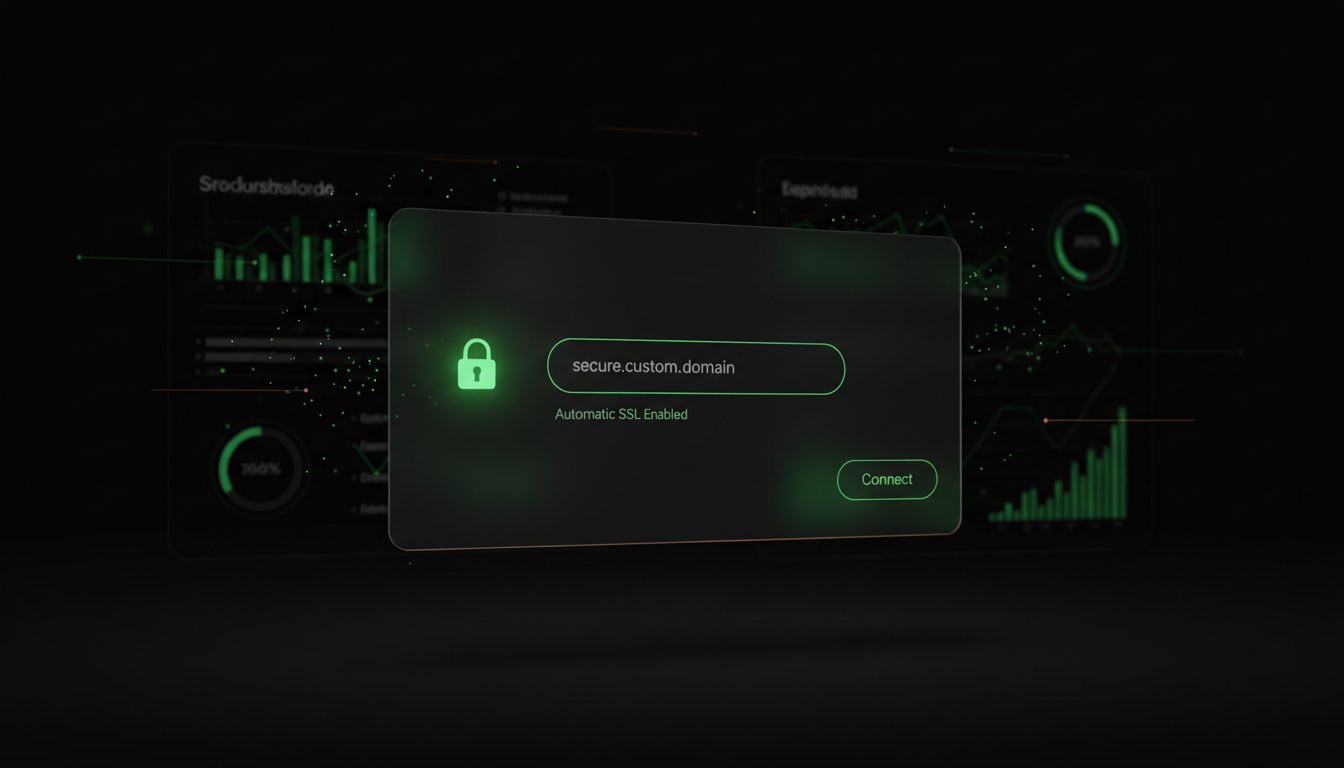
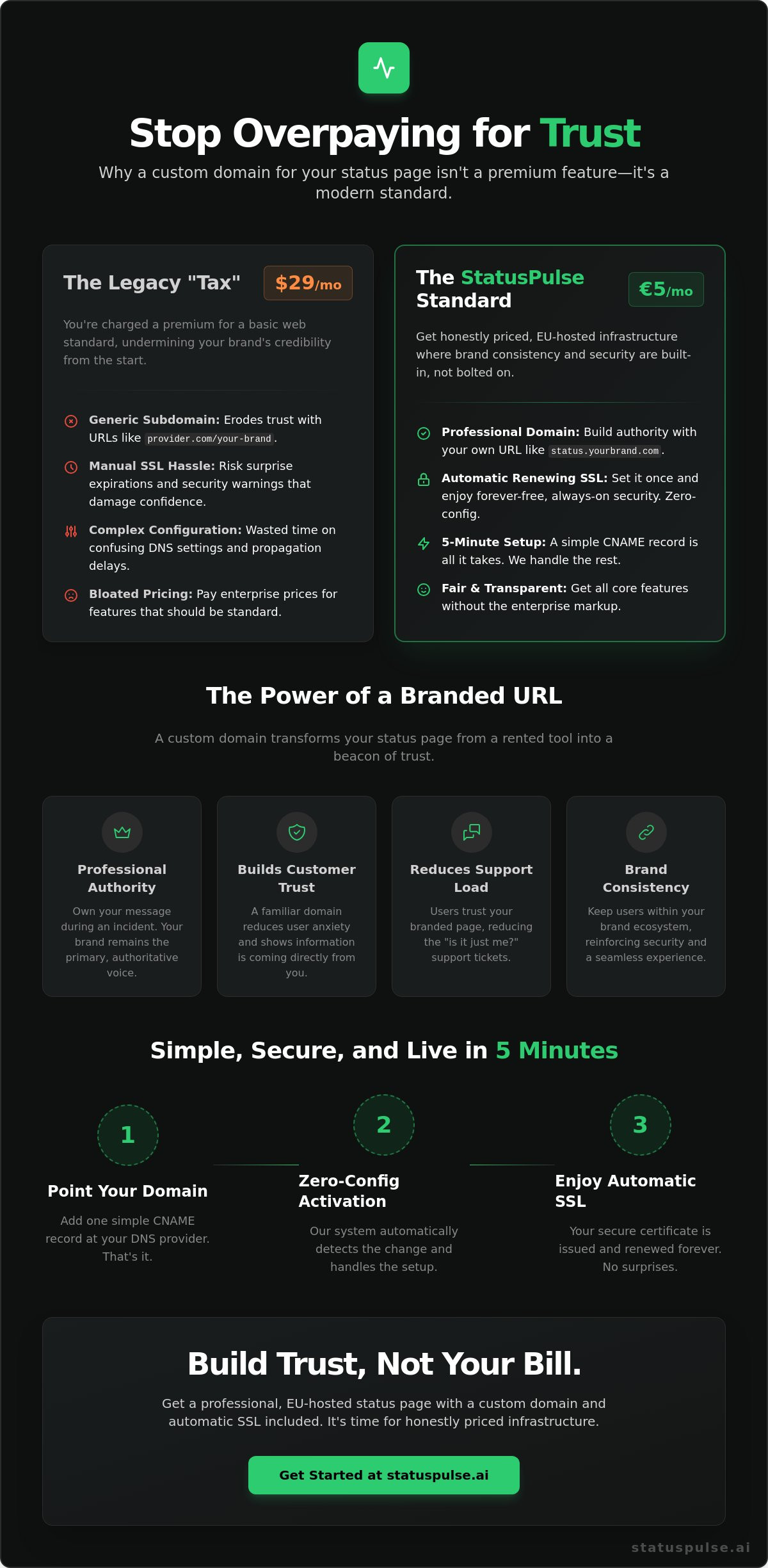
Paying $29 a month just to use your own domain name isn't a premium feature. It's a tax on your brand's credibility. While many legacy status page providers start their pricing tiers at $29 per month for basic branding, we believe professional trust shouldn't have a corporate markup. Setting Up a Custom Domain for Your Status Page (With Automatic SSL) should be a standard, seamless part of your infrastructure, not a reason to inflate your bill. You shouldn't have to choose between a generic subdomain and a price hike that doesn't add real value. It's time to stop overpaying for basic web standards.
You're likely tired of manual SSL certificate expiration surprises and the headache of complex DNS propagation delays. We agree that managing security shouldn't feel like a part-time job. You'll learn how to point your status page to a custom domain with zero-config SSL in under five minutes. We'll walk through the simple DNS configuration steps that ensure your branded page stays secure and self-renewing. By the end, you'll have a professional, EU-hosted status page that builds customer trust without the enterprise price tag. Honestly priced infrastructure starts here.
Key Takeaways
- Replace generic subdomains with a branded domain to turn your status page into a professional authority.
- Follow our 5-minute guide to Setting Up a Custom Domain for Your Status Page (With Automatic SSL) without touching a manual config file.
- Understand how automatic certificate renewals eliminate the stress of surprise SSL expiration warnings.
- Learn to troubleshoot propagation delays and CAA record conflicts before they impact your site's uptime.
- Compare the cost of honest, EU-hosted infrastructure against the bloated pricing models of industry incumbents.
The Case for Custom Domains: Why Branding Your Status Page Matters
Authority isn't just about a logo. It's about where you host your message. When your services go dark, your customers look for a beacon. If that beacon is hosted on a generic third-party subdomain, it feels like a temporary fix. Professional authority comes from owning your space. Setting Up a Custom Domain for Your Status Page (With Automatic SSL) ensures that even in a crisis, your brand remains the primary voice. It's the difference between a handwritten note and a formal statement on company letterhead. You shouldn't settle for a "tenant" URL when you can own the building.
Trust is the only currency that matters when things break. Users feel safer on your domain because it's a familiar environment. When they see status.yourbrand.com, they know the information is coming directly from your team. This connection relies on the Domain Name System (DNS) to map your identity to our infrastructure. By keeping users within your brand ecosystem, you reduce the cognitive load of an outage. They aren't wondering if a third-party status site is lagging. They're looking at your source of truth. It's about consistency. It's about calm.
Trust vs. Transparency: The Psychology of a Branded URL
A URL like status.pulse.io/brand feels like a tool you've rented. It creates a psychological distance between your product and your communication. Branded URLs bridge that gap. Familiarity reduces anxiety. When users see your domain, support ticket volumes often drop. They don't feel the need to ask "is it just me?" because the page they trust already answered them. Transparency works best when it's native to your brand, not a borrowed feature from a giant incumbent charging $29 a month for basic access.
Subdomain vs. Root Domain: Choosing the Right Architecture
Standardizing on status.company.com is the industry standard for a reason. It separates your primary site's traffic from your incident reports. Using a root domain for a status page is risky. If your DNS provider has an issue, your entire presence could vanish. Subdomains offer a clean architectural split. If you're moving from an overpriced legacy provider, StatusPulse makes it easy to map your existing records without losing history. We focus on the details so you can focus on the fix.
Setting Up a Custom Domain for Your Status Page (With Automatic SSL) also simplifies life for your internal teams. Your DevOps and Support staff don't need to hunt for a login or a complex URL during a P0 incident. A memorable, branded link becomes the internal rallying point. It ensures everyone, from your engineers to your customers, is looking at the same data in the same place. €5 for clarity beats $29 for bloat every time. No surprises. Just honest infrastructure.
The Technical Architecture: DNS Records and Automatic SSL
Setting Up a Custom Domain for Your Status Page (With Automatic SSL) requires a bridge between your registrar and our servers. That bridge is the CNAME record. Unlike A records, which map a domain to a static IP address, a CNAME (Canonical Name) record maps one domain name to another. In the world of modern status page hosting, IP addresses are fluid. They shift during multi-region failovers or infrastructure upgrades. A CNAME record ensures your status page stays connected even when the underlying hardware moves. It provides the credibility and trust your users expect by keeping your brand at the forefront of the connection.
CNAME Records: The Glue Between Your Domain and Your Status
Think of a CNAME as an alias. Your custom domain points to our specific endpoint. This setup is the 2026 industry standard for a reason. It avoids the brittleness of A records. Using A records for status pages is a mistake because if a provider changes their server IP, your page breaks. When setting up your CNAME, pay attention to the Time to Live (TTL) settings. A lower TTL, such as 300 or 600 seconds, ensures that DNS changes propagate across the global network quickly. This is vital if you're migrating from a corporate incumbent. You don't want your users seeing a 404 error during an actual outage because of slow DNS updates.
How Automatic SSL Works Under the Hood
Manual certificate uploads are a relic of a slower era. In 2026, security is a background process. We use the ACME protocol to handle everything. ACME, or Automated Certificate Management Environment, is the standard that allows our servers to communicate directly with certificate authorities. It proves you own the domain through a challenge process. Usually, this involves an HTTP challenge where our server verifies a temporary file on your domain. Once verified, the certificate is issued and installed instantly. Automatic SSL is the hands-off security standard for 2026 that ensures your status page is always encrypted without human intervention.
The 2026 standard for SSL/TLS encryption requires modern protocols like TLS 1.3. These protocols reduce latency and improve security. By automating this, we eliminate the risk of human error. No more forgotten renewals. No more "Not Secure" warnings in the browser. Incumbents often treat SSL as a premium add-on or a complex configuration task. We don't. By automating the technical architecture, we remove the friction of maintenance. If you're tired of managing certs, it's time to switch to an honestly priced status page that handles the heavy lifting for you. We focus on the Jamstack efficiency; you focus on your uptime.
Step-by-Step: Setting Up Your Custom Domain in Under 5 Minutes
Setting Up a Custom Domain for Your Status Page (With Automatic SSL) is often portrayed as a complex, multi-step chore. Industry incumbents want you to believe branding is a premium hurdle. It isn't. You can connect your domain in less time than it takes to brew a cup of coffee. The process is straightforward and logical. We value your time. We don't believe in manual verification loops that take 48 hours to resolve. You deserve a setup that works as fast as your deployment pipeline.
Step 1: Configuring Your DNS Provider
Log into your DNS provider. Whether you use Cloudflare, AWS Route53, or Namecheap, the logic is the same. Add a new record to your DNS table. Select "CNAME" as the type. For the "Host" field, enter "status". In the "Target" field, paste your StatusPulse endpoint. If you use Cloudflare, disable "Proxy" mode. Following DNS security best practices from March 2026 ensures your configuration is robust and secure.
Step 2: Dashboard Activation and SSL Provisioning
Head to your StatusPulse dashboard. Navigate to settings and enter your custom domain. Click the "Check DNS" button. Our system queries the global network to verify the record. If verified, SSL provisioning begins automatically. The ACME protocol handles the certificate issuance in the background. No refreshes needed. No manual uploads. Just wait for the handshake to finish. It's security without the friction.
While competitors like Freshping might require multiple records for verification, we keep it simple. One record. One click. Most users see their branded page live with a valid certificate in under three minutes. Propagation delays are the only variable. However, with the low TTL settings discussed in the previous section, the wait is minimal. This is the efficiency of a platform built for modern developers. You get a secure, branded presence without the corporate bloat. Visit StatusPulse to start your setup. It's honestly priced. It's honestly fast. Setting Up a Custom Domain for Your Status Page (With Automatic SSL) is finally as simple as it should be.
Common DNS Pitfalls and How to Avoid SSL Surprises
Even the best infrastructure hits a wall if the foundation is shaky. Setting Up a Custom Domain for Your Status Page (With Automatic SSL) is logically simple, but DNS remains the most common friction point. Most setup failures aren't bugs. They're configuration oversights. Understanding these technical nuances keeps your status page online when it matters most. You don't want to discover a DNS error in the middle of a server outage. That's a surprise nobody needs. We believe in getting the details right from the start.
Troubleshooting Propagation and TTL Issues
DNS isn't a light switch. It's a global conversation. When you update a CNAME record, that change needs to reach thousands of servers across the planet. Propagation delays are the primary reason a domain doesn't work instantly. You can track this progress using tools like Dig or WhatSMYDNS. These platforms show you exactly which regions have picked up your new record. As mentioned previously, a 300-second TTL is your best friend. It tells servers to check for updates every five minutes. If your domain is stuck in verification for more than an hour, your TTL might be set too high. Check your registrar settings. Ensure the record is visible globally before you panic. Patience is part of the process, but a low TTL makes it shorter.
The Cloudflare Orange Cloud Trap
Cloudflare users often run into a specific hurdle. The "Proxy" status, indicated by an orange cloud icon, can interfere with certificate issuance. This proxy hides your true server behind Cloudflare's network. While great for security on your main site, it can block the ACME challenges required for automatic SSL during the initial setup. To fix this, toggle the record to "DNS Only," which is the grey cloud icon. This allows our servers to verify your domain directly. Once the SSL handshake is complete, you can usually re-enable the proxy if your setup requires it. Most incumbents don't explain this, leading to hours of frustration. We prefer transparency over complexity.
CAA Records: The Hidden SSL Gatekeeper
A Certificate Authority Authorization (CAA) record is a security feature. It tells the world which authorities can issue certificates for your domain. If you have a strict CAA record that excludes Let’s Encrypt, your SSL provisioning will fail. You'll see a "Certificate Issuance Failed" error in your dashboard. Fixing this takes 60 seconds. Add a new CAA record with the value "issue letsencrypt.org". This grants permission for our automated system to secure your page. It's a small detail that prevents a major headache. If you're tired of fighting with DNS records and want a platform that just works, start building your branded status page today. Honest pricing meets effortless security.
Handling existing SSL certificates on the same subdomain can also cause conflicts. If you're migrating from another provider, ensure their certificates are fully deactivated before you trigger a new ACME challenge. Overlapping certificates can confuse browsers and lead to "Connection Not Private" warnings. By clearing out the old records and following these steps, Setting Up a Custom Domain for Your Status Page (With Automatic SSL) becomes a predictable, stress-free task. No surprises. Just uptime.
StatusPulse: Honestly Priced Custom Domains Without the Bloat
Setting Up a Custom Domain for Your Status Page (With Automatic SSL) shouldn't be a luxury. It's a standard requirement for any professional service. Industry incumbents often bury this feature behind a $29 paywall, treating basic branding as an enterprise-only privilege. We don't. Our mission is to provide simple, reliable infrastructure that respects your budget. We're a small team of developers. We care about getting the details right. We built this for people who hate manual configuration as much as we do. You press send. We handle the rest. No fluff. No corporate bloat. Just a product that works as hard as your team does.
Why We Don’t Charge $29 for a Domain Feature
The industry standard entry price for custom domains has hovered around $29 for years. Some providers, like Status.io, charge $149 for their standard plan to include SSL, while Statuspal starts their hobby tier at $49. We think that's excessive for a basic web standard. Our philosophy is different. We believe core features should be honestly priced from day one. Our €5 plan includes custom domains and automatic SSL as standard. No surprises. No hidden tiers. We don't use complex pricing models to trap you into expensive upgrades. We provide the tools you need to build trust without the corporate markup. Professional branding is a right, not a premium add-on.
EU-Native Monitoring and SSL
Data privacy isn't a marketing afterthought. For modern SaaS companies, where your data lives matters. StatusPulse is EU-hosted and GDPR-native. This ensures your status page traffic stays within a compliant jurisdiction. Most major players are US-based, which creates legal friction for European teams who need to strictly manage data residency. We prioritize regional compliance because it's the right thing to do. It’s part of our commitment to Uptime Monitoring: A Developer’s Guide to Reliability and Honest Communication. By using Jamstack architecture, we ensure your page is fast and resilient. Latency stays low. Security stays high. Your users deserve a secure connection that respects their privacy.
Setting Up a Custom Domain for Your Status Page (With Automatic SSL) with StatusPulse means choosing a principled alternative. You get multi-region reliability. You get a branded presence that your customers can trust. Most importantly, you get a partner that values transparency as much as you do. We don't believe in premium taxes for basic security. €5, not $29. It’s that simple. One plan. No surprises. Just honest monitoring for teams that care about the details. Stop overpaying for basic infrastructure and join the rebellion against overpriced incumbents.
Take Control of Your Brand Authority
Your status page is the first place customers look during an incident. A branded domain like status.yourbrand.com signals that you are in control. We've shown that Setting Up a Custom Domain for Your Status Page (With Automatic SSL) is a simple, logical process that shouldn't cost $29 a month. By using CNAME records and the ACME protocol, you eliminate manual certificate renewals and technical debt. It's about building a source of truth that stays secure without constant oversight. You shouldn't have to manage security certs by hand in 2026.
Reliable infrastructure doesn't need to be expensive or complex. Our EU-hosted, GDPR-native platform ensures your data stays within compliant borders while providing multi-region resilience. You can have your custom domain live in under 5 minutes with zero-config SSL. Stop settling for the bloated pricing models of industry incumbents. Set up your branded status page for €5/mo and join the teams prioritizing honest communication. You build the product; we'll handle the uptime visibility. It's time for a better standard. You're ready to launch.
Frequently Asked Questions
How long does it take for a custom domain to propagate?
Propagation typically finishes in under 5 minutes if your TTL is set to 300 seconds. While some legacy registrars claim it takes 48 hours, modern DNS providers update almost instantly. You can track this progress using global tools like WhatSMYDNS to see your record update in real time. If your record isn't visible after an hour, double-check your host settings. Speed is the goal; waiting is the exception.
Do I need to pay extra for an SSL certificate on StatusPulse?
No, you don't pay extra. Automatic SSL is a standard feature included in our honestly priced €5 plan. Industry incumbents often charge $29 or more for this basic feature. We believe encryption is a right, not a premium upsell. Your security shouldn't be a line item on an invoice. It's built-in from day one without any hidden fees or surprises.
Can I use a custom domain on the free plan?
Custom domains are reserved for our paid plans. While some providers offer free tiers, they usually force you to use their branded subdomains which can hurt your professional image. For €5, you get a fully branded experience. This includes Setting Up a Custom Domain for Your Status Page (With Automatic SSL) to build immediate customer trust. No surprises. Just professional tools at a fair price.
What happens if my SSL certificate expires?
Your certificate won't expire because our system manages renewals automatically. We use the ACME protocol to trigger a new handshake 30 days before the current cert lapses. This eliminates the stress of manual monitoring. You don't need to set calendar reminders or upload files. The process is entirely hands-off, ensuring your status page remains secure and reachable 24/7.
Can I use Cloudflare with my custom status page domain?
Yes, Cloudflare works perfectly with our platform. Just ensure the "Proxy" status is set to "DNS Only" during the initial setup phase. This allows the certificate authority to verify your domain directly. Once the SSL is active, you can toggle the proxy back on if needed. It's a simple fix that prevents the common orange cloud handshake failure during provisioning.
Is it possible to use a root domain (company.com) for my status page?
It's technically possible, but we recommend using a subdomain like status.yourbrand.com instead. Root domains are often tied to your primary web traffic and email records. Using a subdomain provides a clean architectural split. It ensures that if one service has a DNS issue, the other remains unaffected. This approach is the industry standard for 2026 infrastructure management.
What is a CNAME record and why is it needed for my status page?
A CNAME record is a DNS alias that points your custom domain to our endpoint. It's the technical glue required for Setting Up a Custom Domain for Your Status Page (With Automatic SSL). Unlike A records, CNAMEs are flexible. If we move our servers or failover to a new region, your status page stays connected without you changing a single setting on your end.
Does StatusPulse support wildcard SSL for status pages?
We issue dedicated certificates for each specific subdomain rather than using wildcard SSL. This approach provides better security isolation for your brand. Each certificate is unique to your status page and renewed automatically by our system. It's a meticulous detail that ensures your security posture remains strong without adding any configuration complexity for your team. You press send; we handle the certs.


