
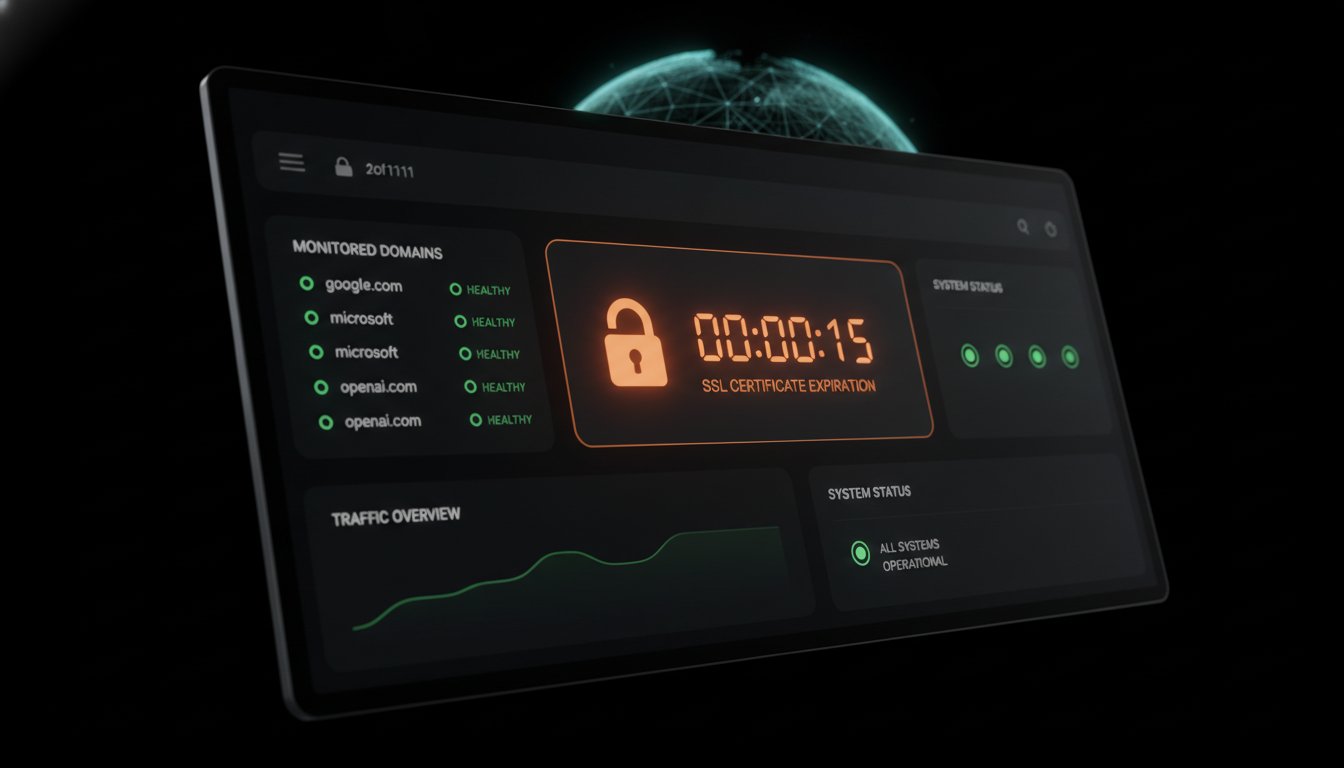
A 404 error is a mistake; an expired SSL certificate is a systemic failure. An SSL certificate expiration checker is an automated utility that monitors the validity dates and trust chains of TLS certificates to prevent service outages. These tools verify that your cryptographic identity is current and correctly configured across all regions. On March 15, 2026, the industry moved to a 200-day maximum validity period, effectively doubling the renewal workload for infrastructure teams. You've likely experienced the friction of a sudden "Your connection is not private" warning that halts traffic and kills user trust instantly.
We agree that managing fragmented certificates across multiple cloud providers is a source of technical debt. This guide outlines how to build a robust monitoring strategy that looks beyond simple expiry dates to include intermediate chain validation. We will preview an automated workflow that reduces manual overhead while maintaining regional data sovereignty. You'll learn the specific technical details required to ensure your infrastructure remains compliant with the latest CA/Browser Forum standards.
Key Takeaways
- Understand why the 2026 mandate for 200-day certificate lifespans makes manual tracking an operational liability for technical teams.
- Learn to validate the full trust chain and intermediate certificates to prevent outages that simple expiration checks often miss.
- Build a persistent monitoring workflow using an SSL certificate expiration checker to inventory and protect your entire domain fleet.
- Move beyond reactive troubleshooting by configuring automated checks with frequencies ranging from one minute to one hour.
- Connect SSL health monitoring to public status pages to ensure incident transparency while maintaining regional data sovereignty through EU or US hosting.
The Anatomy of a Failing SSL Certificate: Why Lookups Matter
Encryption is more than a privacy layer; it is an identity verification system. A Public key certificate binds a cryptographic key to your specific domain and organization. If this binding expires or becomes invalid, the entire trust model of your web service collapses. In the SaaS world, certificate expiration is the leading cause of preventable outages. These aren't complex architectural failures. They are simple administrative oversights that result in total service loss.
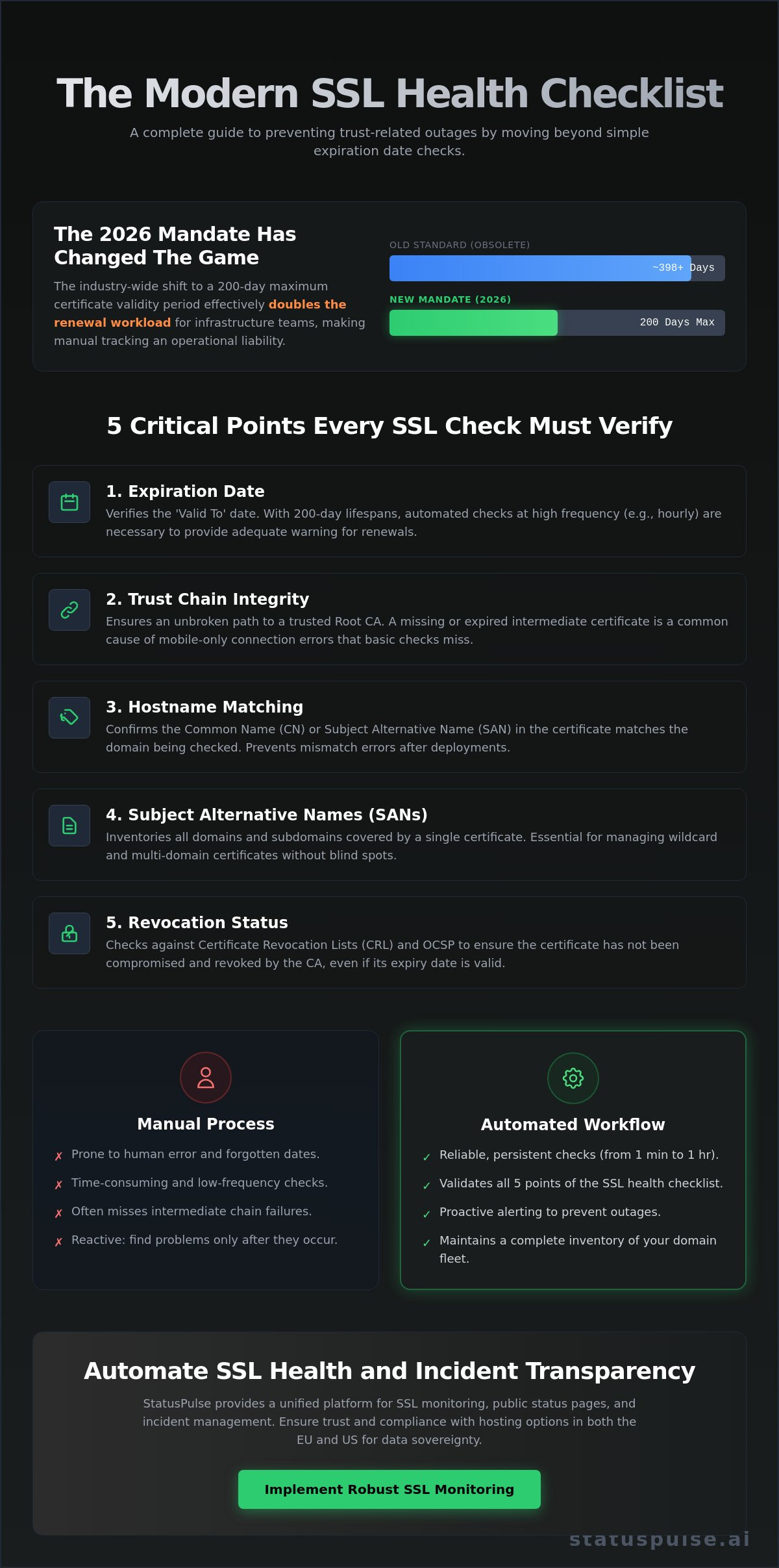
Modern browsers have become increasingly aggressive in enforcing security standards. They now require strict Certificate Transparency (CT) logs and shorter validity periods to minimize the window of exposure for compromised keys. Since March 15, 2026, the industry has shifted to a 200-day maximum validity period for all public certificates. This change effectively doubles the renewal workload for DevOps teams. Relying on a manual SSL certificate expiration checker process is no longer a viable strategy for teams managing more than a handful of endpoints.
Technical failure often occurs in the trust chain rather than the leaf certificate itself. Your primary certificate might be valid, but if an intermediate certificate in the path to the Root Certificate Authority (CA) expires, browsers will still trigger a security warning. A robust monitoring strategy must look at the entire chain, not just the end date of your specific file.
The Real Cost of Certificate Outages
Customer trust is fragile and evaporates the moment a browser displays a full-screen security warning. These errors are high-friction events that drive users away from your platform. Beyond immediate traffic loss, search engines prioritize secure and reachable sites. An expired certificate can lead to a rapid drop in SEO rankings as crawl bots flag the site as unsafe. When teams work under the pressure of an active "Connection Not Private" incident, they often make configuration mistakes. Rushed renewals can lead to the use of deprecated cipher suites or the accidental deployment of certificates to the wrong load balancers.
SSL vs. Domain Expiration: Clearing the Confusion
Infrastructure teams often conflate domain registration with encryption validity. A cek domain expired lookup identifies when you are at risk of losing ownership of the domain name itself. In contrast, an SSL certificate expiration checker verifies the health of the cryptographic identity used to secure traffic to that name. Domain ownership is typically renewed every one to ten years. SSL certificates now require attention every few months. Because these two cycles operate on different timelines, they require distinct monitoring cadences and specialized tools to prevent overlaps in service disruption.
The SSL Health Checklist: 5 Points Every Check Must Verify
A basic SSL certificate expiration checker usually tells you the "Valid To" date. While necessary, this is insufficient for modern production environments. Reliability in 2026 requires a deeper inspection of the certificate metadata and its relationship with the browser. You should follow a standardized SSL certificate management checklist to ensure no blind spots remain in your infrastructure. A robust check must verify five critical pillars: expiration, chain integrity, hostname matching, Subject Alternative Names (SANs), and revocation status.
The expiration date is the most obvious point, but it's now more volatile. With the March 2026 mandate reducing validity to 200 days, your renewal window has shrunk. Beyond the date, you must confirm that the certificate hasn't been revoked. Checking the Online Certificate Status Protocol (OCSP) or Certificate Revocation Lists (CRL) ensures that a compromised key hasn't rendered your "valid" certificate untrustworthy. These layers of verification prevent the "Connection Not Private" errors that disrupt user sessions.
Validating the Intermediate Chain
Browsers require a complete, unbroken path to a trusted Root CA. Missing intermediate certificates are a frequent cause of "mobile-only" connection errors. While desktop browsers often cache intermediates from previous visits, mobile clients usually don't. This results in a site that works on a laptop but fails for customers on their phones. Use a monitoring tool that simulates various browser environments to catch these chain gaps. A failing intermediate is just as damaging as an expired leaf certificate.
Hostname and SAN Verification
A certificate is only valid if it explicitly covers the specific domain in use. Hostname mismatches occur when a certificate for the apex domain is served on a subdomain without proper configuration. Wildcard certificates offer flexibility for multiple subdomains, but they increase the security blast radius if a private key is leaked. You must verify that your monitoring covers both `www` and non-`www` variants. It's also critical to ensure internal services use certificates matching their private DNS records. For teams managing diverse environments, using a platform that provides automated SSL certificate monitoring ensures these technical details are checked consistently without manual overhead.
Manual vs. Automated SSL Expiration Monitoring
Choosing between manual lookups and automated monitoring is a choice between diagnostic precision and operational safety. A manual SSL certificate expiration checker is essential for verifying a specific deployment. However, it fails to provide the persistent visibility required to manage a modern domain fleet. The following table identifies the core functional differences between these two approaches.
| Feature | Manual (CLI/OpenSSL) | Automated Monitoring |
|---|---|---|
| Scalability | Low; requires 1-to-1 execution. | High; monitors hundreds of endpoints. |
| Alerting | None; relies on human memory. | Tiered push notifications. |
| Chain Inspection | Requires specific technical flags. | Automated deep-path verification. |
| Regional Context | Limited to the user's local network. | Global multi-region verification. |
Diagnostic tools are excellent for answering "is this working right now?" but they cannot answer "will this work next Tuesday?" without human intervention. Automated systems remove this cognitive load by providing a unified view of your security posture.
When Manual Checks Are Appropriate
Manual checks are the right tool for debugging server-side changes during a deployment window. If you've just updated an Nginx configuration or replaced a certificate on a load balancer, you need immediate feedback. You can use OpenSSL to query a remote endpoint and extract its validity dates directly from the terminal:
echo | openssl s_client -connect statuspulse.ai:443 -servername statuspulse.ai 2>/dev/null | openssl x509 -noout -datesThis command is perfect for point-in-time verification in a sandbox or staging environment. It allows you to confirm that the server is serving the correct file before traffic is routed to it. It does not, however, protect you from the administrative oversights that lead to production outages.
The Case for Persistent Monitoring
Persistent monitoring provides a centralized source of truth for both SSL health and your website monitor tool data. This alignment is a core part of certificate lifecycle management best practices. By automating the scan, you ensure that configuration drifts or accidental revocations are caught within minutes rather than weeks.
Effective automation utilizes tiered alerting to prevent notification fatigue. You should configure your system to send a routine notice at 30 days, an urgent warning at 14 days, and a critical incident alert at 7 days. This structure ensures that renewals are planned during standard work hours. For teams managing diverse infrastructure, using StatusPulse allows you to integrate these SSL checks directly into your existing incident response workflow, ensuring that no certificate expires in the dark.
Step-by-Step: Implementing a Robust SSL Monitoring Workflow
Effective certificate management starts with a complete inventory. You can't protect what you haven't discovered. Many teams suffer from "shadow" certificates; these are one-off SSLs issued by developers for testing that eventually leak into production. Use automated discovery tools to find every endpoint across your various cloud providers. Categorize them by environment, such as Production or Staging, and track which Certificate Authority (CA) issued them. This inventory becomes the source of truth for your SSL certificate expiration checker strategy.
Configure your monitoring frequency based on the criticality of the service. High-traffic APIs require checks every minute, while internal tools might only need hourly verification. This persistence ensures that configuration errors or accidental revocations are caught immediately. In 2026, the 200-day validity mandate means your infrastructure is in a constant state of renewal. Automation via the ACME protocol is the only sustainable way to handle this volume, but you must still audit your CAs to ensure they support these rapid cycles.
Inventory Management and Discovery
Centralizing your inventory prevents fragmented management. You should categorize every certificate by its role in your stack. Production certificates require stricter monitoring and faster escalation than those in dev environments. Tracking the issuer is also vital. If a specific CA suffers a security breach or a trust issue with major browsers, you need to know exactly which domains require immediate replacement. This level of detail transforms a simple list into a manageable security asset.
Configuring Smart Alerts
Smart alerts prevent notification fatigue by providing actionable data. Set your first warning for 30 days before expiration. This provides enough lead time for administrative tasks like budget approvals or manual renewals for legacy systems that don't support ACME. A second, critical alert should fire at the 7-day mark. This alert must include technical context, including the hostname, issuer, and the specific node failing the check. Map these alerts to your escalation policy, moving from Slack for warnings to PagerDuty for critical failures.
Regional availability is a common blind spot. A certificate might appear valid from your local machine but fail for users in another geographic region due to DNS propagation issues or localized firewall rules. Implement multi-region checks to verify global availability. For organizations with strict compliance needs, data sovereignty is a non-negotiable technical requirement. You should choose a monitoring provider that allows you to select your hosting location, such as the EU or the US, to align with your internal privacy standards. You can start monitoring your SSL certificates with StatusPulse to automate these checks and ensure your services remain reachable from every region.
StatusPulse: Automated SSL Health and Incident Transparency
The transition to shorter certificate lifespans has turned encryption management into a high-frequency task. Relying on a standalone SSL certificate expiration checker often leaves a gap between detection and communication. StatusPulse closes this gap by integrating native SSL monitoring with your public status pages. When a check fails, the platform doesn't just alert your team; it prepares your response. This integration ensures that technical disruptions don't become PR disasters. Your users receive immediate transparency, which preserves trust even during a configuration error.
Data sovereignty remains a primary concern for SREs and CTOs, particularly those operating within the European Union. StatusPulse supports this by offering a choice between EU or US hosting for your monitoring data. This regional flexibility is a distinct signature of our commitment to privacy and compliance. You can maintain your data residency requirements without sacrificing the quality of your observability stack. We provide the same level of precision and performance regardless of which geographic region you select for your hosting.
Why Technical Teams Choose StatusPulse
We are a European-based team that prioritizes integrity over corporate bloat. Technical teams choose our platform because it avoids the complexity and aggressive pricing of traditional enterprise software providers. The setup requires no long-winded configurations or complex subordinate steps. You simply add your domain, and our system begins verifying the cryptographic health of your endpoints. Our flat pricing model is a bold alternative to industry incumbents. We don't charge per-subscriber fees, ensuring your costs remain predictable as you scale your operations.
Consolidating Your Reliability Stack
Fragile infrastructure often results from fragmented monitoring across different cloud providers and regions. By combining uptime, API, and SSL health in a single dashboard, you eliminate the need to cross-reference multiple consoles during an outage. If a certificate fails, our AI incident management assistant drafts a technical update for your status page. This human-centric automation allows you to maintain agency while reducing the time spent on manual communication. You can consolidate your reliability monitoring today and ensure your services remain secure, reachable, and transparent to your global audience.
Securing Your 200-Day Renewal Cycle
The transition to a 200-day certificate lifespan has moved SSL management from an annual task to a constant operational requirement. You've seen that verifying the full trust chain is the only way to prevent mobile-specific outages. A reliable SSL certificate expiration checker must be the silent engine behind your service availability. It shouldn't be a manual chore that relies on fragile calendar reminders. By centralizing your inventory and automating alerts, you remove human error from your security stack.
We believe in straightforward tools that respect your time and your data. You can maintain full control over your residency requirements with our choice of EU and US hosting. Our flat-rate pricing keeps your costs predictable. Our AI-driven incident management drafts your status updates during a failure. Automate your SSL monitoring with StatusPulse to build a more resilient infrastructure. Stay proactive; your users will appreciate the transparency.
Frequently Asked Questions
How often should I check my SSL certificate expiration?
You should check your certificate health at least once per hour. For high-traffic APIs or critical infrastructure, minute-by-minute monitoring is the industry standard. The 200-day validity mandate starting in March 2026 makes frequent checks necessary to catch renewal failures early.
Can an SSL certificate expire while a website is running?
Yes, certificates expire at a precise timestamp regardless of server uptime. While active sessions might continue for a few minutes, every new visitor will immediately encounter a "Connection Not Private" block. The server continues to serve traffic, but browsers prevent users from seeing it.
What is the difference between an SSL checker and a domain expiry checker?
An SSL certificate expiration checker verifies the cryptographic identity securing your traffic. A domain checker tracks your legal ownership of the name. These operate on different timelines. Domains are often renewed annually; certificates now require attention every few months.
Why does my browser say "Not Secure" when my SSL certificate is valid?
This usually points to a broken trust chain or a hostname mismatch. Your primary certificate might be valid, but an expired intermediate certificate will trigger a browser warning. It also happens if your certificate doesn't explicitly list the specific subdomain in the Subject Alternative Name (SAN) field.
Do I need to check intermediate certificates separately?
Yes, validating the entire chain is mandatory for production reliability. Browsers require a complete path to a trusted Root CA to establish a secure connection. A professional SSL certificate expiration checker should automatically audit every link in that chain during every scan.
What happens if I miss my SSL renewal date?
Traffic will drop instantly as browsers flag your site as unsafe. Search engines also penalize sites with invalid certificates, leading to a rapid decline in SEO rankings. Emergency renewals often happen under pressure, which increases the risk of configuration errors and further downtime.
How can I automate SSL monitoring for multiple subdomains?
Use a centralized monitoring platform that supports bulk domain inventory. You should configure individual checks for each subdomain to ensure specific certificates are tracked correctly. This prevents "shadow" certificates from expiring unnoticed in complex, multi-cloud environments.
Is there a free SSL certificate expiration checker that alerts me?
Many web-based tools offer free one-time lookups for troubleshooting. However, persistent monitoring with automated alerting usually requires a dedicated service. StatusPulse provides integrated SSL monitoring alongside uptime checks to ensure your team is notified well before a certificate actually expires.


